
Help / Getting started
Getting started
Family Member Care keeps everything about the person you look after in one place, and shares it with the family. Here is the shape of it.
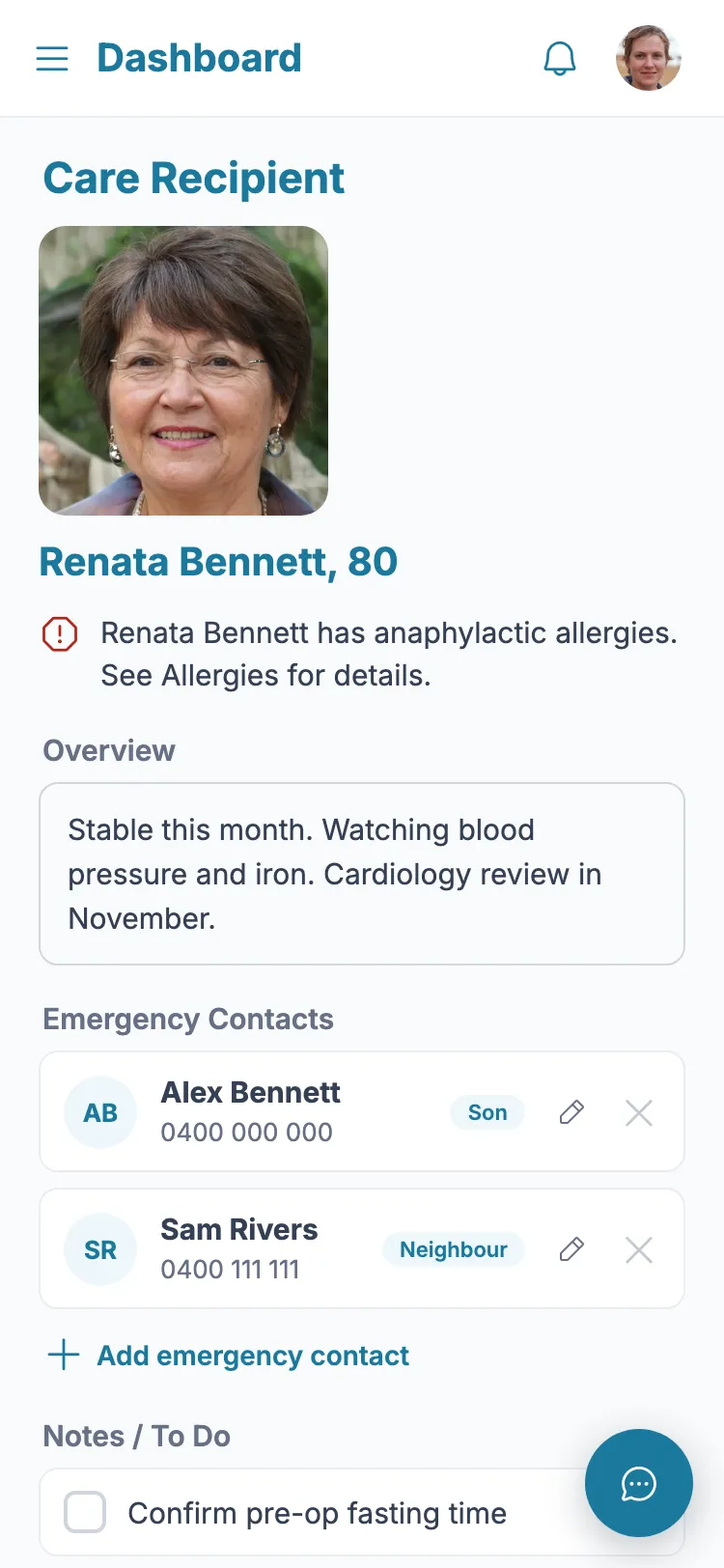
- 1 Your Dashboard shows the person you care for, an overview, their emergency contacts and anything on the to-do list.
- 2 The menu (top-left) opens each kind of record: diagnoses and medications, practitioners, allergies, referrals, test results, appointments and documents.
- 3 Add a record with the "Add" button on its screen, or the coloured Quick add buttons on the Dashboard.
- 4 Invite the rest of the family so everyone sees the same up-to-date picture.
- 5 You start with a 7-day free trial - full access, no card needed.
You're set up when
- You can see the person you care for on the Dashboard
- You know where each kind of record lives
- You have invited anyone who helps
Still stuck?
Ask the in-app assistant your question in plain English and get a step-by-step answer from these guides – never medical advice.